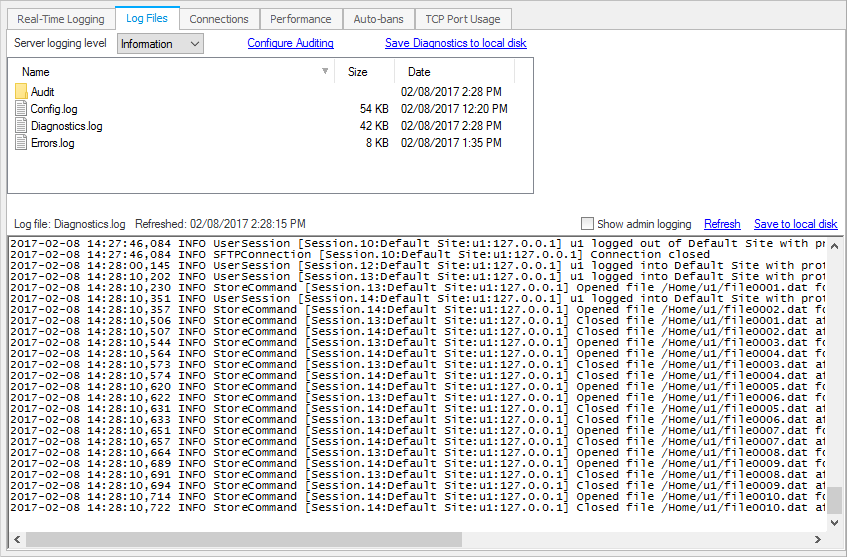
Server diagnostic log files can be found in CompleteFTP's configuration directory, usually here:
C:\ProgramData\Enterprise Distributed Technologies\Complete FTP\Logs.
From CompleteFTP 8.0, there is a more user-friendly way to collect diagnostic details.
Open the CompleteFTP manager and go to the Log Files tab in the Monitoring panel.
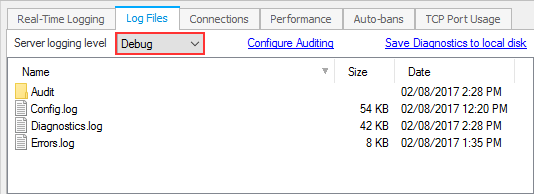
Ensure that the logging level is set to Debug (or All).
Use "Apply changes" to save the changed settings.
Restart the CompleteFTP service (optional).
Attempt to reproduce the problem.
Use the "Save Diagnostics to local disk" link to download a zip file containing a sanitised version of your
configuration file (without password hashes etc) and your Diagnostics.log file.